
How to Check Part Compatibility Online Before You Buy
Last Updated: October 26, 2026
Quick Summary
To check part compatibility online, start with your VIN or the year, make, model, sub-model, and engine size, then cross-check the OEM or part number against the listing. Confirm dimensions, connectors, and fitment notes before ordering, since a catalog match alone does not prove a part fits.
- A VIN is a 17-character code found on the dashboard and driver's door jamb sticker.
- VINs never contain the letters I, O, or Q, so a site accepting them means a typo.
- Skipping sub-model and engine size is the classic mistake when searching parts catalogs.
- Aftermarket parts need the OEM cross-reference, revision, dimensions, and connector checked in that order.
- Treat a compatibility checker as a first pass, then confirm dimensions and connectors against spec sheets.
Table of Contents
- Start With the Right Identifiers for Part Compatibility
- How to Check Car Parts by VIN
- How to Search Car Parts by Part Number
- Using a Vehicle Year Make Model Parts Search
- Aftermarket Parts Compatibility: What to Verify
- How to Check PC Part Compatibility Online
- When Sources Disagree: Building Compatibility Confidence
- Ordering the Right Part From My Parts Guy MPG Auto
- Frequently Asked Questions
Start With the Right Identifiers for Part Compatibility
Part compatibility is the process of confirming that a specific component will physically fit and function correctly on a specific vehicle or machine before you buy it. Getting it right starts with the right identifiers.
The good news: once you know which numbers to grab, checking part compatibility online takes a few minutes. Below, we walk through each identifier and how to use it.
Vehicle Identification Number (VIN)
The VIN is the most precise identifier your vehicle has. It's a 17-character code stamped on the dashboard near the windshield and printed on the driver's door jamb sticker.
Why it matters: the VIN encodes the model year, plant, engine, and trim as built at the factory. A parts search that accepts a VIN can narrow results to your exact vehicle configuration.
Watch out: VINs can contain the letters I, O, and Q? No, they never do. Those letters are excluded to avoid confusion with 1 and 0.
Year, Make, Model, Sub-model, and Engine Size
Most parts catalogs ask for this five-part sequence. Each level narrows the list:
- Year: model year, not the purchase date
- Make: the brand, such as BMW or Ford
- Model: the nameplate, such as M340i or F-150
- Sub-model or trim: the package level, such as xDrive or Lariat
- Engine size: displacement and engine code, such as 3.0L B58
Skipping the last two is the classic mistake. Two trucks with the same badge can take different brake pads. For a worked example of how these identifiers translate into a confirmed fit, see our BMW M340i parts fitment guide.
Part Numbers and OEM Numbers
An OEM number is the manufacturer's own identifier for a part. A part number is any identifier used by a seller or maker, and aftermarket brands use their own.
Matching numbers is the fastest way to confirm a replacement part. But a number match alone doesn't prove authenticity. Counterfeit parts often copy real numbers, so check the packaging, seller, and listing details too. For a structured approach, see how to identify fake car parts.
How to Check Car Parts by VIN
A VIN lookup is the fastest way to check car parts by VIN, but it has limits. Here's the process we recommend:
- Copy the full 17-character VIN from the door jamb, not the windshield.
- Paste it into the seller's VIN field, or a vehicle database tool.
- Confirm the decoded year, make, model, trim, and engine match your car.
- Note any mid-year production splits the tool flags.
- Cross-check the result against the part number before ordering.
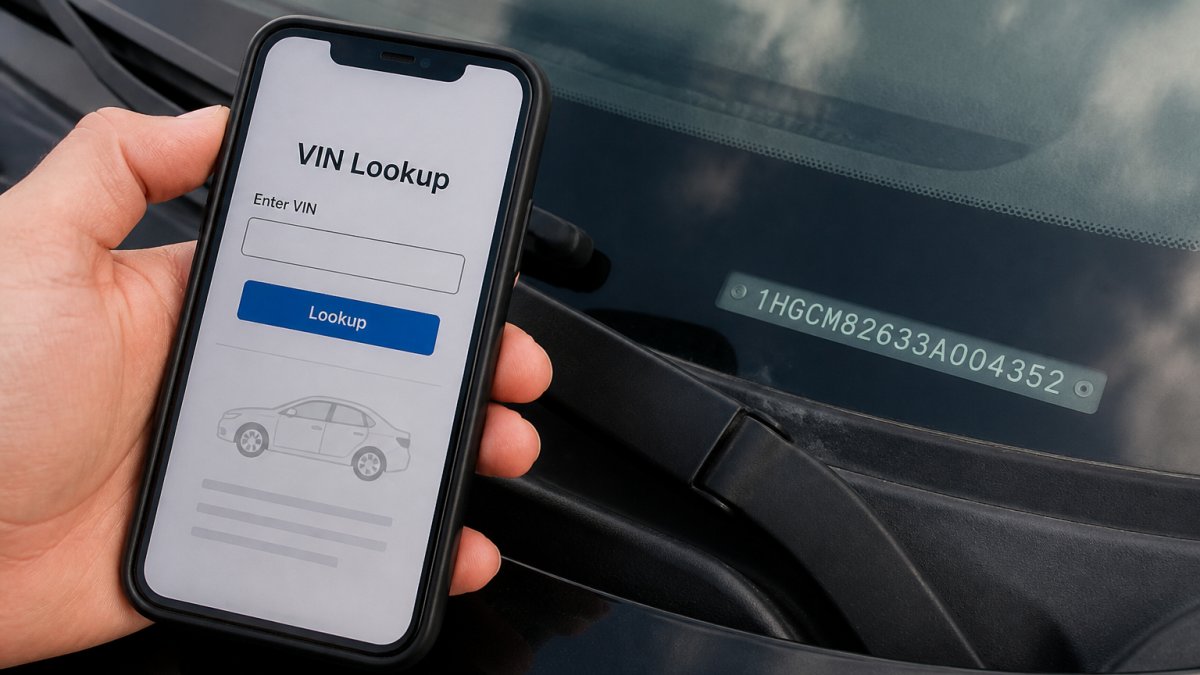
What VIN lookups can't tell you: the VIN describes the vehicle as built, not as modified. If a previous owner swapped an engine or added a package, the database won't know.
Privacy note: a VIN can reveal build details and, through some services, registration history. Share it only with sellers and tools you trust, and be careful posting it publicly.
How to Search Car Parts by Part Number
Searching by part number is the most direct route when you already have the old part in hand. Read the number off the component itself, then:
- Enter it into the seller's search bar.
- Compare the part description, dimensions, and connector type.
- Check interchange listings for equivalent numbers.
- Confirm the listing names your vehicle.
Interchange listings map one part number to others that fit the same application. They're useful for used and aftermarket parts, where the original number may be superseded.
Using a Vehicle Year Make Model Parts Search
A vehicle year make model parts search works well when you don't have a number yet. You pick your vehicle from dropdown menus, and the catalog filters to parts that fit.
The trick is to treat the result as a starting point, not a verdict. A catalog match confirms the category fits your vehicle configuration. It doesn't confirm the specific brand's version fits your trim. Check the listing's own fitment notes before you commit.
Aftermarket Parts Compatibility: What to Verify
Aftermarket parts compatibility needs more checking than OEM because the aftermarket maker builds to its own specifications, not the vehicle manufacturer's. A part can be listed as fitting your vehicle and still fail on a bracket, connector, or sensor calibration. Verify in this order:
- Cross-reference the OEM number. Start with the OEM number from the part you are replacing, then confirm the aftermarket maker publishes that number as a cross-reference. If the maker only lists a vehicle application and no OEM cross-reference, treat the fitment claim as unverified.
- Check the revision or supersession. Manufacturers revise parts mid-production. A listing for a "direct replacement" may cross to an older revision that does not include a changed connector or mounting point. Look for a revision letter or supersession note in the listing, and compare it to the part in hand.
- Match dimensions and connectors, not just the application. Measure the original part's key dimensions (length, diameter, thread pitch, mounting hole spacing) and count the pins or note the connector keyway. Aftermarket listings often show these in a specifications tab; if they don't, ask before ordering.
- Read the fitment notes for exclusions. Notes like "excluding models with adaptive suspension" or "fits without tow package" are the most common source of false matches. A catalog match that ignores an exclusion is not a fitment confirmation.
- Confirm the warranty and return terms. Aftermarket warranty coverage varies widely, and a part that does not fit may still be non-returnable once installed. Check the return window and whether opened electrical parts are excluded.
For used parts, add three checks: confirm the donor vehicle's VIN or build details so you can compare trim and engine, inspect the part number stamp on the used component itself (not just the listing), and ask for photos of the connector and mounting surfaces. Interchange listings map one part number to others that fit the same application, but they are only as good as the data behind them. Cross-check an interchange number against a second source before you rely on it.
A common pattern is that aftermarket fitment failures cluster around electrical components, emissions-related parts, and anything with a bracket or sensor. For those categories, verify the OEM cross-reference and the connector before anything else.
How to Check PC Part Compatibility Online
PC part compatibility follows the same logic with different identifiers. Instead of year and make, you match:
| Check | What to Confirm |
|---|---|
| Processor and motherboard | Socket type matches |
| Memory and motherboard | Memory generation and slot count |
| Graphics card and case | Card length clears the case |
| Power supply and build | Wattage and connector count cover every part |
| Motherboard and case | Form factor lines up |
A compatibility checker automates most of this. Enter your parts, and it flags conflicts like a mismatched socket or an undersized power supply. Treat it as a first pass, then confirm dimensions and connectors against the spec sheets.
When Sources Disagree: Building Compatibility Confidence
Conflicting fitment results are normal, not a sign that you did something wrong. A seller's catalog, a manufacturer's parts diagram, and an interchange database can each disagree because they were built from different data at different times. The gap most guides skip is what to do next. Use this escalation path:
Step 1: Rank the sources by specificity. A manufacturer parts diagram keyed to your VIN is more specific than a seller's year/make/model filter, which is more specific than a marketplace listing's application note. When two sources conflict, the more specific source wins until you can verify further.
Step 2: Reconcile the identifiers. Most conflicts come from a mismatch in one identifier, not a true incompatibility. Re-check the trim, engine code, and any mid-year production split.
Step 3: Cross-check the part number on a second source. Enter the OEM number into a second catalog or database and compare the application list.
Step 5: Escalate to the manufacturer when the stakes are high. For safety-related parts (brakes, steering, airbags, seatbelts), a conflicting catalog result is a stop sign.
Comparing how different retailers list the same part is one of the fastest ways to spot errors, because a listing that omits the OEM cross-reference stands out next to one that includes it. See our PartsAvatar alternatives for Canadian enthusiasts to compare more sources. For official guidance on vehicle safety recalls and defects, check Transport Canada's recall database, and for aftermarket standards, see SAE International's parts standards.
When sources still disagree after all five steps, do not order on hope. Contact the seller with your VIN and the conflicting part numbers, and ask them to confirm in writing. That written confirmation is your fallback if the part arrives and does not fit.
Ordering the Right Part From My Parts Guy MPG Auto
Ordering the right part comes down to one habit: confirm before you buy. Use the identifiers above, cross-check the listing, and ask when something doesn't line up.
That's where we help. My Parts Guy MPG Auto ships across Canada with no duties or brokerage fees, and we monitor competitor pricing to keep ours competitive. Our team has decades of automotive knowledge, and we'll help you confirm fitment before you order. As customer Junior AZ put it, "John was very professional and very helpful." Have a fitment question?
Frequently Asked Questions
How do I check if a part is compatible with my car?
Start with your VIN, which encodes the exact year, make, model, trim, and engine for your vehicle. Enter it into a parts catalog or compatibility checker to narrow results. Then cross-check the part number against the listing and confirm the fitment notes mention your trim and engine. If the listing only shows a generic year range without trim details, verify with a second source or contact the retailer before buying.
Can I use my VIN to find compatible car parts online?
Yes. A VIN lookup is the most precise way to check car parts by VIN because it identifies your exact build, including mid-year changes and regional variants that a simple year/make/model search can miss. Use the VIN from your dashboard or door jamb, enter it into the retailer's compatibility checker, and confirm the results match your part number. Avoid sharing your VIN publicly; only enter it on trusted retail or manufacturer sites.
How can I search for car parts using a part number?
Find the OEM number stamped on the original part or in your owner's manual, then enter it into the retailer's search bar. To search car parts by part number reliably, compare the returned description and specifications against your old part. Check interchange listings to see which aftermarket numbers cross-reference to the same OEM number. If the listing shows multiple part numbers, confirm the one that matches your vehicle's trim and engine.
How can I tell if an aftermarket part will fit my vehicle?
Aftermarket parts compatibility depends on more than a year range. Verify the part's fitment notes list your exact sub-model, trim, and engine size. Check dimensions, connector types, and mounting points against your vehicle. Look for an interchange number that cross-references to your OEM part. When a listing is vague, ask the retailer for the manufacturer's fitment guide or confirmation before ordering.
Confirming part compatibility before you order saves you the return, the downtime, and the guesswork. Get started with My Parts Guy MPG Auto and order with confidence, backed by expert advice, competitive pricing, and fast shipping across Canada.
